
 Oz
Oz
Mail and calendar, made for one person.
Ozmail and Cal are two native apps that sit on top of Gmail and Google Calendar. Fast, keyboard-first, calm, and sharing one sign-in.
OzmailEmail, without the weight.
Light, simple and fast. A handful of basic things done properly, and nothing you have to manage. Every Google account in one list, split into Focused and Other.
Fast, down to the keystroke
Saved mail opens instantly, actions apply the moment you press them (with Undo), and the Mac checks for new mail every 10 seconds, even while another app is in front.
One list, one email at a time
No per-account tabs and no folder tree to tend. Every account is one list, newest first; a coloured dot shows where each email came from.
No bulk in your way
Newsletters, marketing and notifications are sorted into Other before they show. Only Focused notifies and counts on the badge. Press M to move one; it learns the sender.
Built for the keyboard
Move, open, archive, reply and select many at once without touching the mouse. Acting on an open email takes you straight back to the list.
Sends that never get lost
Messages are queued on disk, held for an undo window, retried until Gmail confirms and never sent twice.
Light on the device
Choose how far back to keep full text. Opening and searching saved mail is instant and works offline; search still reaches older mail through Gmail.
CalWork went global. Your calendar should keep up.
Cal puts the people you work with on your clock, with their city and their hour beside yours, and an assistant that does the scheduling while you approve.
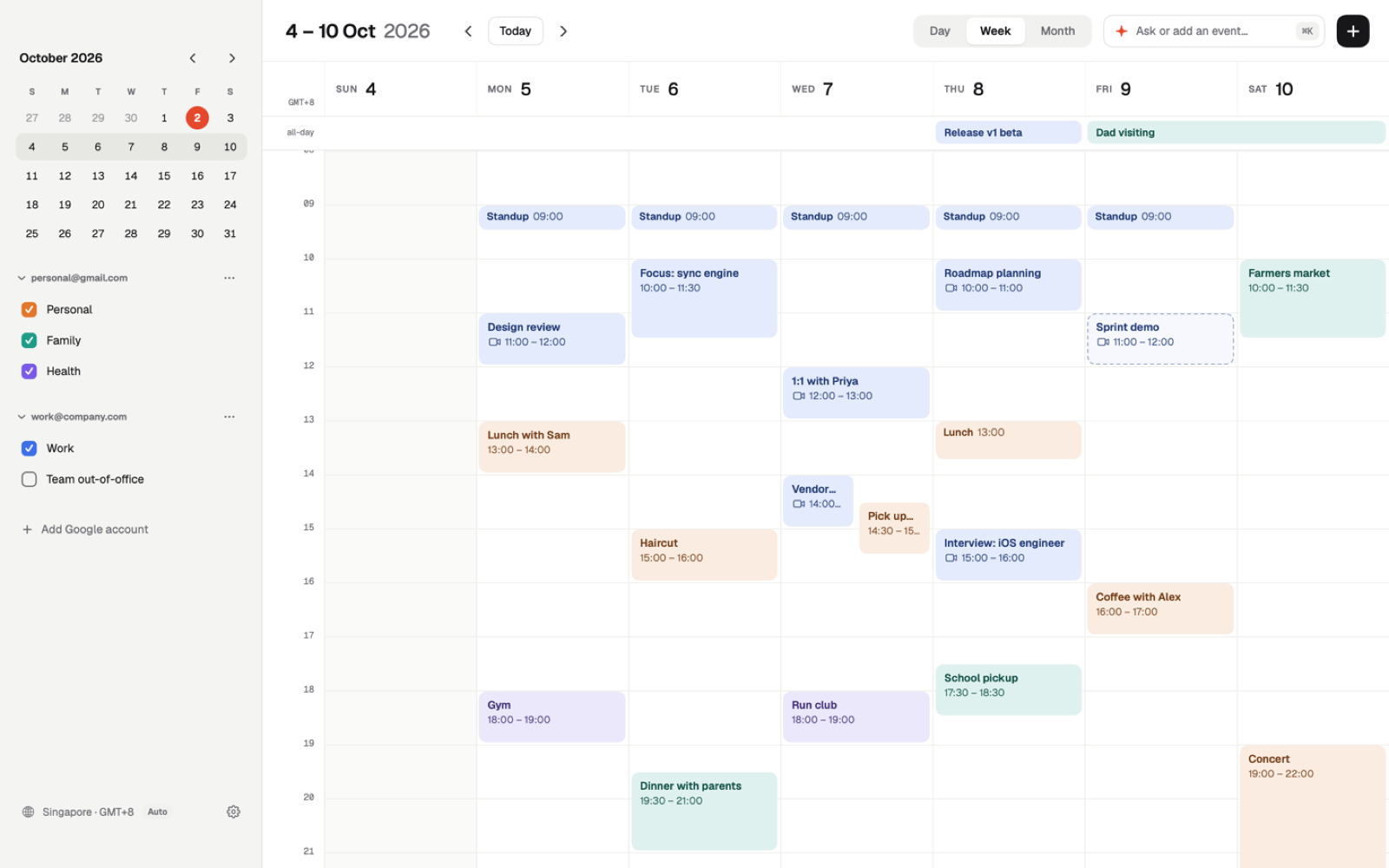
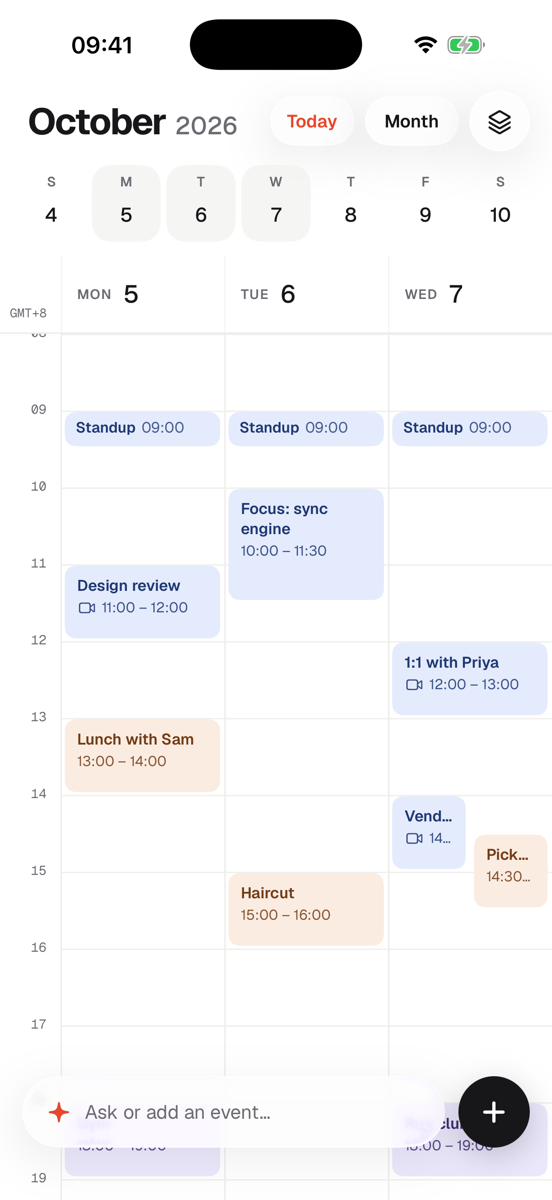
Their hour, right beside yours.
Show up to two more cities next to the hours of your day. Singapore and Mumbai and London side by side, half-hour zones included, with a −1 or +1 wherever it is another day there.
- →Draw or drag an event and see its time in every city as you move it. Details carry an "other time zone" line.
- →Find a zone by city, country, name or abbreviation: "Bangalore", "India", "IST", "PST". Any city in the world works.
- →Automatic or a zone you choose, for the whole app and the widget. Daylight saving is right for the day you are looking at.
- →All-day events never shift, wherever you are.
Say it in plain English. Approve it in one click.
Coordinating across teams means a lot of small scheduling. Tell Cal what you want and it drafts the change as a card. Nothing touches your calendar until you click Approve.
- →Checked against your own words (weekday, date, time, morning or evening) before you see it. Overlaps are flagged.
- →Titles your way: "Call | Sam (Acme) + Osborne (Osborne VC)". Calls get a Meet link; in-person plans ask where.
- →Suggests guests you have met before. When it needs a choice, "Which Yash?", the options are pills you tap.
- →Guests are notified by Google on every change, and a toast tells you who was emailed.
Draw it, drag it
Drag out a time range to create an event, drag to move it across days, pull its edge to resize.
Knows when to leave
Alerts with Join, Directions and Snooze. On iPhone, in-person events show the drive time.
Several accounts
Every Google calendar in one place. Show or hide any of them, on every device.
Up Next widget
Today's date and your next meetings on the Mac and iPhone home screens.
Set it up once. It follows you.
Sign in to either app with your primary Workspace account and the other is signed in too. Your accounts and settings live in a small cloud you own, so a new Mac or iPhone is ready in one step.
One Google sign-in
Primary account in, both apps in. Add the rest of your Workspace accounts once and they appear in Mail and Cal.
Settings, everywhere
Rename an account or change its colour on one device and the rest follow within seconds. Things that belong to a device, like how much mail to save, stay on it.
Keys kept off your devices
Google tokens are stored encrypted, and the AI key never reaches a device. Every signed-in device is listed, with Sign out.
The small things, done properly.
A colour for every account
Name each account and pick its colour. The blue dot is kept for unread.
Undo everything
Archive, delete, move and send each show Undo for a few seconds.
Inbox zero gets a photo
Clear the list and a new landscape photo fills the window each day.
Swipes and multi-select
On iPhone, swipe to archive or delete, and long-press to select a run and act on it together.
Reading, summarised
An AI summary sits under the subject of long threads, and you can fold it away.
Invitations in the email
A Google invitation shows the event with Yes, Maybe and No right in the message.